 Brian Rayhill and his wife, AnneMarie, have called Darien home for more than 30 years. Their three children—Alex, who lives in Chicago, and Meaghan and Harry, both of whom live in New York City—all attended Darien public schools. Over the years, Brian enjoyed coaching his children in various Darien sports programs.
Brian has been actively involved in the Darien community, serving as Chair of District IV of the Representative Town Meeting (RTM) and as a Justice of the Peace. He is also an active parishioner at St. John Church, where he serves as a weekly usher.
Professionally, Brian continues to work full-time as a Managing Attorney in New York City, specializing in litigation. AnneMarie is a Realtor with Houlihan Lawrence. Brian is a graduate of Syracuse University School of Law and an enthusiastic Syracuse sports fan.
Sports and music have always been important parts of Brian’s life. As a member of the Middlesex Club, he enjoys playing pickleball, paddle tennis, and tennis. His appreciation for music is also a family tradition. His father, Leo Rayhill, hosts Sounds of Jazz with Leo Rayhill, an archival radio program airing Sunday afternoons on WCNY.org.
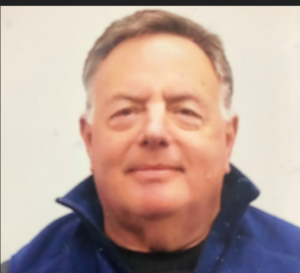 A graduate of Beloit College (BA, 1976) and Columbia University Graduate School of Business (MBA, 1980), Steve enjoyed a 36-year career as a fixed-income investment professional. His experience included proprietary trading at a U.S. Treasury primary dealer, managing open- and closed-end mutual funds and institutional portfolios, and serving for 14 years as a principal in an emerging-market debt investment fund. He also managed emerging-market debt portfolios for an institutional investment manager.
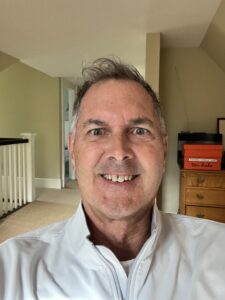 Tim West has been a resident of Darien since 1998, having previously lived in Rowayton for 10 years. A longtime supporter of Darien youth sports, he served on the board of Darien Youth Lacrosse, coached numerous travel teams, and co-founded the Blue Wave Buddies program for first- and second-graders with Mike Connelly.
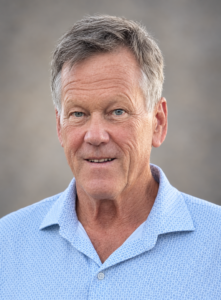 Born in Buffalo, New York, Jay Shutts moved to Darien with his family in 1960 and has maintained close ties to the community ever since. He graduated from Darien High School in 1977 and earned a degree in Economics and Business from the University of Richmond in 1981.
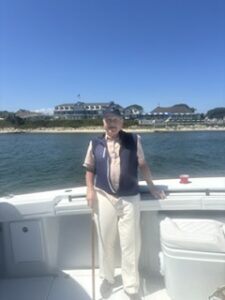 Born in St. Louis, Missouri, and raised in Westfield, New Jersey, where he attended public schools, Sargent has called Darien home for the past forty years. He graduated from Columbia College in 1966 and earned his MBA from Columbia Business School in 1968.
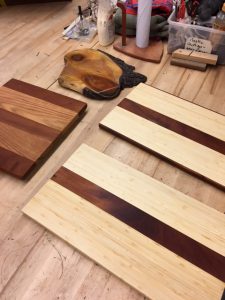 Sometimes there is a scrap of lumber laying around that you are sure there MUST be a good use for. Here the Woodworkers took scraps of contrasting wood, joined, glued, planed, sanded and finished them to make attractive cheese boards.